

Module Hacking with Universal Design for Learning (UDL)
Context As a programming language, Python has seen a surge in popularity in part driven by the rise of data

Accessibility, Latex and Me
With the integration of ‘Blackboard Ally Course Accessibility Report’ into Canvas, we can now quickly check the extent to which the
YouTube as an Effective Educational Resource
Educational videos have become an important part of higher education, providing a content-delivery tool in many flipped, blended, and online
Using Teams Live Events in Large Cohort Lectures
This post is based on my experience of using a Teams Live Event for a 50 minute lecture to 360
Video content – don’t Lose it, Re-use it!
Many of you will have created video content during the move to online teaching as a result of the Covid

Exam/Class Test Assessment Guidance
The guidance below is based on the checklist for assignment set up that is accessible here: Assignment Checklist. 1. Steps
Blackboard Ally and Canvas
What is Blackboard Ally? Blackboard Ally is a tool that integrates seamlessly with Canvas to make your digital content more accessible. It
Scanning with Microsoft Lens
❗Please note that MS Lens is a standalone app for Apple and Android devices which is not supported by Queen’s

Canvas Quizzes: Feel the fear and do it anyway!
2 MDBS staff speak to their experience of using Canvas Quizzes (Submitted by Sean Roe and Samantha J Taylor, School
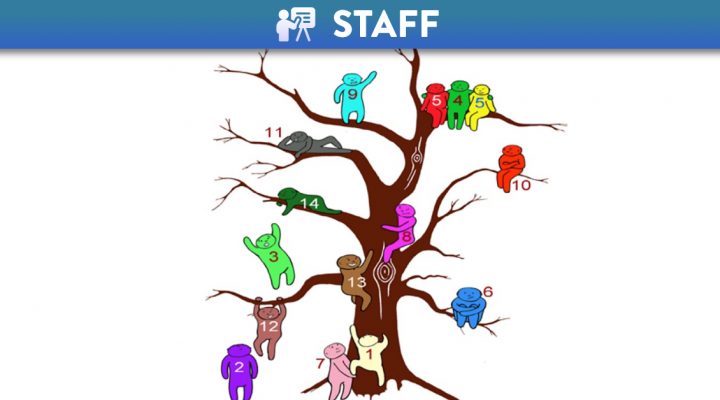
The Jelly Baby Tree
🔗 This article was originally posted on 16 October 2020 on the Connected learning QUB SONM site by Alison Smart,