What is OSCOLA? – The Oxford University Standard for Citation of Legal Authorities (OSCOLA)
OSCOLA is what is known as a numerical “footnoted” referencing style. This means it uses footnotes to “cite” (quote by way of example) in your body of writing, which is then identifiable via a superscript number which should come at the end of your sentence most commonly following the full-stop. Each number will correspond with the relevant footnote, which will include the full reference at the bottom of the page which it is on. The reference should be closed with a full-stop.
How do I create a footnote?
All you have to do is type your citation from the appropriate academic source within single quotation marks (e.g…. John Smith said ‘xyz’.) Then go to “references” and click on “insert footnote”. A “superscript’ number should then appear after your citation (e.g…. John Smith said ‘xyz’.¹) The footnote will then appear at the bottom of you page with relevant number corresponding to the superscript number which follows your citation in your main body of text.

So, what should I include in my reference?
Well, it depends on the source of the citation. If your source is a (e.g. book, journal article, case, legislation, newspaper article, website, conference paper), this will determine what information you need to include, in what order, and in what format.
Check out this helpful links for more on what you need to include in your references. ps://www.qub.ac.uk/cite2write/oscola.html
But let’s go over a couple of quick examples to help illustrate…
When citing information or a quotation from a book you’ll need the following:
Order
• Author initial(s) or forename followed by surname
• Title in italics
• (Edition, Publisher, Place Year) in round brackets
• Page(s) followed by a full stop.
Example:
JH Baker, An Introduction to English Legal History (4th edn, Butterworths, London 2002)419- 21.
A journal article is slightly different, see the example below:
Order
• Author initial(s) or first-name followed by surname
• Title of article in single quotation marks
• [Year] in square brackets
• Volume number issue (series)
• Acronym for journal title e.g. the journal “Public Law” = “PL”
• First page
• Pinpointed page (fullstop).
Example:
• Party names (in italics)
• Neutral citation:
– [Year] in square brackets [2006]
– Court the case was heard (England and Wales Court of Appeal = EWCA)
– Division of the court (Civ = Civil Division) – Unique serial number ( 532)• Law report:
– [Year] in square brackets [1997]
– Volume number (2) (pre-2001)
– Report series (“QB” = “Queen’s Bench” & “All ER” = “All England Law Reports”)
– First page number of the report
– (If pre-2001) the initials of the Court the case was heard in round brackets, (CA) = Court of Appeal)
Examples
Post 2001 = R (Haw) v Secretary of State for the Home Department [2006] EWCA Civ 532, [2006] QB 780
Pre 2001 = R v Human Fertilisation and Embryology Authority, ex p Blood [1997] 2 All ER 687 (CA)
Paul Craig, ‘Constitutional Foundations, the Rule of Law and Supremacy’ [2003] 8 (1) PL 92, 96.
Cases
Cases are different again they are made up for 3 main parts: the parties, the neutral citation and the law report. The neutral citation system began in 2001 to digitize case records. All cases since 2001 should have a neutral citation. Cases from before 2001 will only display the law report and put the initials of the court the case was heard in round brackets (). Here’s a guide which makes it easy to distinguish between the information you will need to include when citing a case depending on whether it is post or pre-2001.
There are a few other points which you should be aware of when referencing, for example when you are adding further references to the same source.
The first time you cite a source, full details should be given. Subsequent references to the same source can then be abbreviated by briefly identifying the source and providing a cross-reference in brackets to the footnote that contains the full citation.
The Latin term “ibid” means “in the same place”. If two or more consecutive references are from the same source, then they are cited using ibid.
Example:
1 Robert Stevens, Torts and Rights (OUP, Oxford 2007) 90.
……….
7 Stevens, Torts… (n 1) 110.
8 ibid.,112.
9 ibid.
The above example shows a citation of a book which is first cited (in full) at footnote 1, cited again in footnote 7 with a cross-citation to footnote 1, but with a different page number. Then cited again at footnote 8 (different page), and again footnote 9 (same page).
When referencing the names of the authors there are a few nuances you should be aware of. In footnotes the author’s name(s) should be in the format FORENAME/INITIAL then SURNAME.
Example:
- Tim Crawford, Citing Academic Sources (Hart, London 2016).
Or
- T Crawford, Citing Academic Sources (Hart, London 2016).
In the bibliography this is reversed to: SURNAME then INITIAL(S).
Example:
- Crawford T, Citing Academic Sources (Hart, London 2016)
If there are more than 3 authors from the same source (e.g., a co-authored journal article) in your footnotes you should write the first author’s name followed by “and others”.
Example:
- Samuel Topping and others, Analysing Law (Routledge, London 2008).
In the bibliography list all of the authors.
Example:
- Topping S, Beck D and Wilson P, Analysing Law (Routledge, London 2008).
When citing a longer quotation (i.e., greater than 3 lines long) you should:
- Start on separate line
- Indent
- No quotation marks
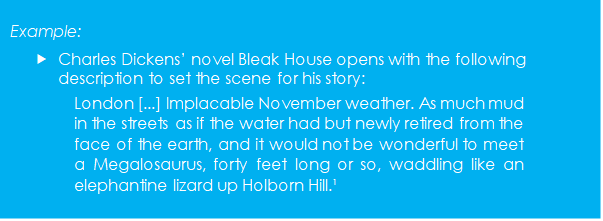
If you refer to a quotation within a quotation, then use double quotation marks use […] to signify omission of words from the quotation
Consider trying reference management software
There are various software packages that you can use to help compile and manage your references into your own personal database or library. They allow you to import your references directly into your own database from many online sources such as bibliographic databases, electronic journals, and library catalogues. They also allow you to work in conjunction with a word processing package to insert in-text citations, your footnotes and bibliography into a document and then automatically format to your preferred style.

EndNote is Queen’s University’s supported bibliographic management solution.
Using EndNote you can:
- build a personal database of references imported from catalogues, research databases and other sources
- organise references into groups
- manage large volumes of references required for systematic reviews
- share references with other Endnote users
- cite references when writing a paper using the Cite While You Write (CWYW) add-in for MSWord and other wordprocessing software
- automatically format your paper and bibliography
EndNote has both a desktop and an online component. You can install the desktop application on up to three personal laptops or PCs and sync it with the online version. Further information and links to user guides are available below. (Taken from QUB Lib Guides) https://libguides.qub.ac.uk/referencing/endnote
Referencing and using OSCOLA, much like any other part of your academic journey is something which takes time, care, patience, and most of all practice!!! Rome wasn’t built in a day, and neither are the skills you need to make it through university life, keep at it and over time it will become second nature.
References